Recording a Walk With Two Dogs
Walk two dogs together and most apps make you choose which one it counts for. Here is why per-dog history matters and how a shared walk should work.
By Tony Dalton · Updated
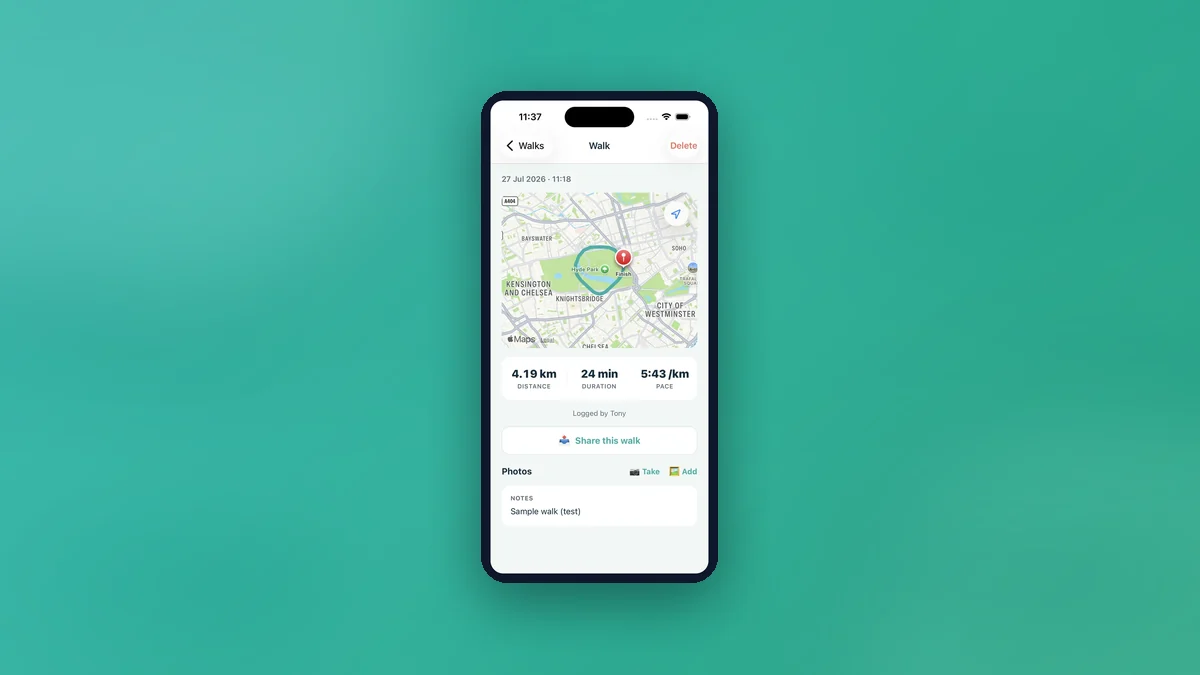
If you walk two dogs together, that is one walk for you and one walk each for them. Most tracking apps make you pick a dog, which means one animal's history is right and the other's is empty — or you log the same walk twice and every total is inflated. Neither is a record you would want to show a vet.
Why per-dog history matters
Two dogs in one household rarely have identical needs. One is older. One is recovering from something. One puts on weight if the walks get shorter. The moment you want to answer a question about one of them — how much is she actually doing, has his activity dropped since the limp — you need that dog's own history, not the household's combined one.
It matters more when the dogs do not always go out together. A record that only counts joint walks understates whichever dog also gets solo walks, and you will not notice the gap until you are trying to explain a weight change.
How CorePaw handles it
Before a walk, you pick who is coming. One walk is then recorded against each dog through a shared group id: the route, distance, duration and pace are the same because they genuinely were the same walk, and each dog's history is individually correct. You do not log it twice and you do not choose a winner.
The rest of the walk tracker works the same as any single-dog walk — live route map, background tracking that survives a locked screen, photos taken on the walk attaching to it, and full history with totals per dog.
Photos and notes on a multi-dog walk
Photos taken from the walk screen attach to that walk and flow into the photo gallery, tagged as taken on a walk. It is a small thing that turns a distance log into something you actually look back at, particularly for the dog you have had longest.
Sharing one walk with the household
Walks can be shared three ways, all free on every plan: with household members, who get a nudge and find it in their Shared with me list; by email to anyone outside the household, as a CorePaw-branded summary with the route map, times and distance; or to social and any other app as a branded square image generated on your phone.
The household case is the useful one for a two-dog family. The person who did not do the walk can see it happened, how far it was and where — which removes the single most common domestic exchange in dog ownership, which is "did you take them out?"
When someone else walks one of them
If you use a dog walker who runs their business on CorePaw Pro, their walk lands in your dog's history like any other, with the route map, a diary of what happened, and "Logged by" attribution. Crucially you choose per dog what a walker can see, so sharing one dog does not quietly become sharing the household — how walker sharing works covers the detail.
See also: how far should I walk my dog.
Related articles
Keep your pet's whole record in CorePaw.
Passport, microchip, vaccinations, medications, walks and weight — working offline and shared with your household. Free for your first pet, on iPhone and Android.