Your pet's paperwork, out of the drawer.
Pedigree certificate, insurance policy, adoption papers, the referral letter, last year's receipts. All of it in the same app as everything else about them — and findable when someone asks.
- Filed by category with a date and notes
- Snap it with the camera or pick from your library
- Attach a PDF or image from your device
- Images preview inline; PDFs open in the system viewer
- Behind its own permission, and hideable per pet
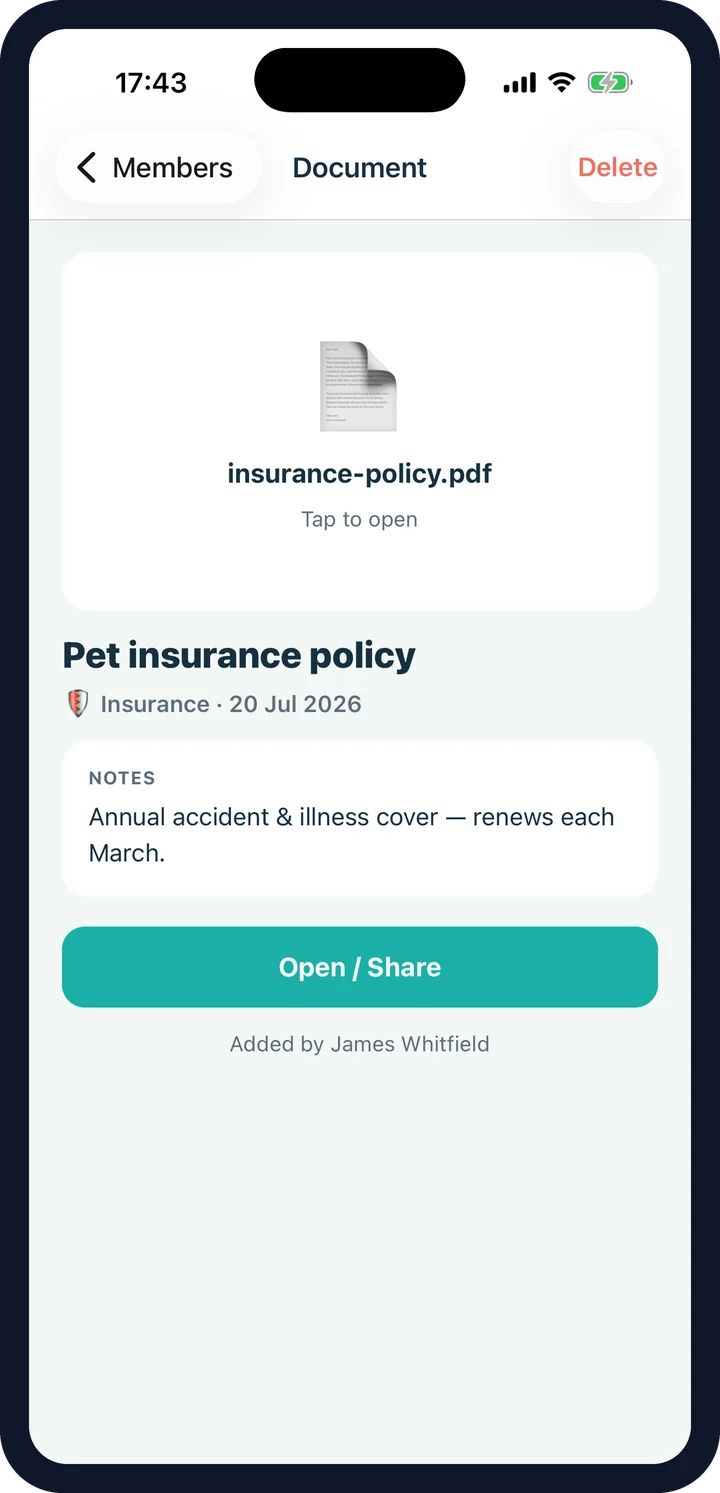
What goes in the pet documents vault.
Pedigree & KC
Registration and pedigree certificates — the paperwork you need and can never find.
Show awards
Placings and certificates, kept with the dog they belong to.
Insurance
The policy itself, alongside the provider, policy number and renewal date on the passport.
Adoption & ownership
Rescue paperwork, transfer of ownership, the contract from the breeder.
Vet letters
Referrals, results, discharge notes — the things that arrive as a PDF and vanish into email.
Receipts
What the dental actually cost, for the insurance claim and for next year's budgeting.
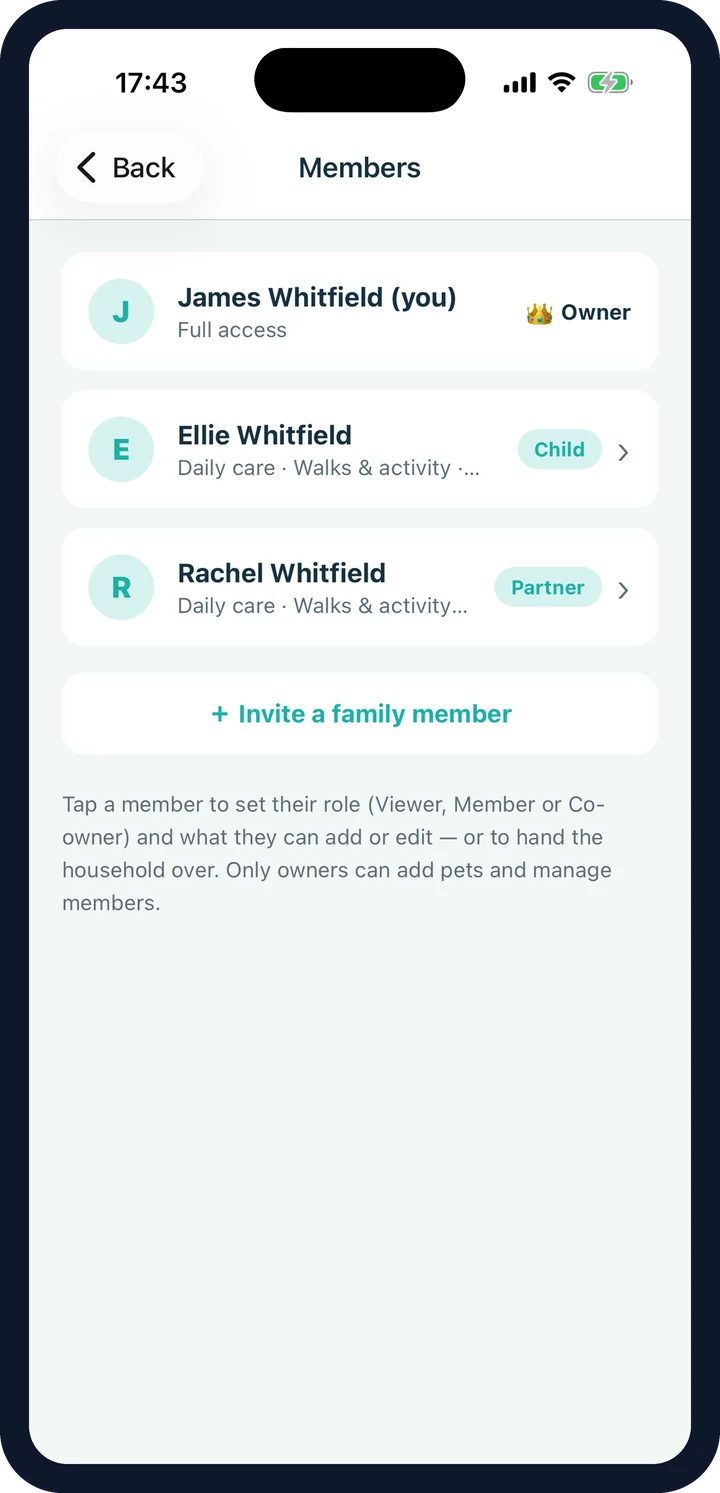
Document permissions: who can see what.
Documents are the most personal thing in the app — policy numbers, what you paid, where the animal came from. So they have their own permission, separate from daily care and walks, and it is enforced in the database rather than by hiding a tab.
- A separate Documents permission
- Give walk access without giving paperwork access
- Change or revoke it any time
- Hide the section entirely for a pet that has none
Where document files live: free vs Premium
On the free tier, documents stay on your device. Your household sees each one's category, date and notes — enough to know the policy exists and when it renews — but the file itself is only on your phone. Premium syncs the files to cloud storage so co-parents can open them, and backs them up with everything else.
Either way, keep your originals. This is a copy for convenience, not a replacement for the registry, the insurer or the piece of paper in the drawer.
Documents FAQ
What can I keep in the vault?
Pedigree and Kennel Club certificates, show awards, insurance policies, adoption and ownership papers, vet letters and receipts. Each is filed under a category with an optional date and notes.
How do I add a document?
Photograph it with the camera, pick an existing image from your library, or attach a PDF or image file from your device.
How do I open one later?
Images preview inline in the app. PDFs and other files open in your phone's normal viewer, and can be shared from there like any other file.
Where are the files stored?
On your device. On the free tier they stay there — which means a co-parent sees each document's details, category, date and notes, but not the file itself. On Premium the files sync to cloud storage so the household can open them too.
Can I stop other people seeing them?
Yes. Documents sit behind their own permission, so you can give a dog walker walk access without opening your insurance policy and receipts to them.
Can I hide the section entirely?
Yes, per pet — like any other section on the pet screen. Turn it back on whenever you like.
Is this a legal record?
No. It is a convenient copy of your paperwork. Registries, insurers and the Kennel Club hold the authoritative versions, and you should keep your originals.
Find the certificate in five seconds.
CorePaw is out now on the App Store and Google Play, and free for your first pet — no card, no trial clock.