Every dog walk, mapped and kept.
Press start, put your phone away, and walk. CorePaw draws the route, counts the distance and keeps a history for each dog — including the ones you both walked together.
- Live route map with distance, duration and pace
- Keeps tracking with the screen locked or the app backgrounded
- Multi-dog walks — one walk, recorded for each dog
- Manual entry for the walk you forgot to start
- Photos on a walk attach to that walk
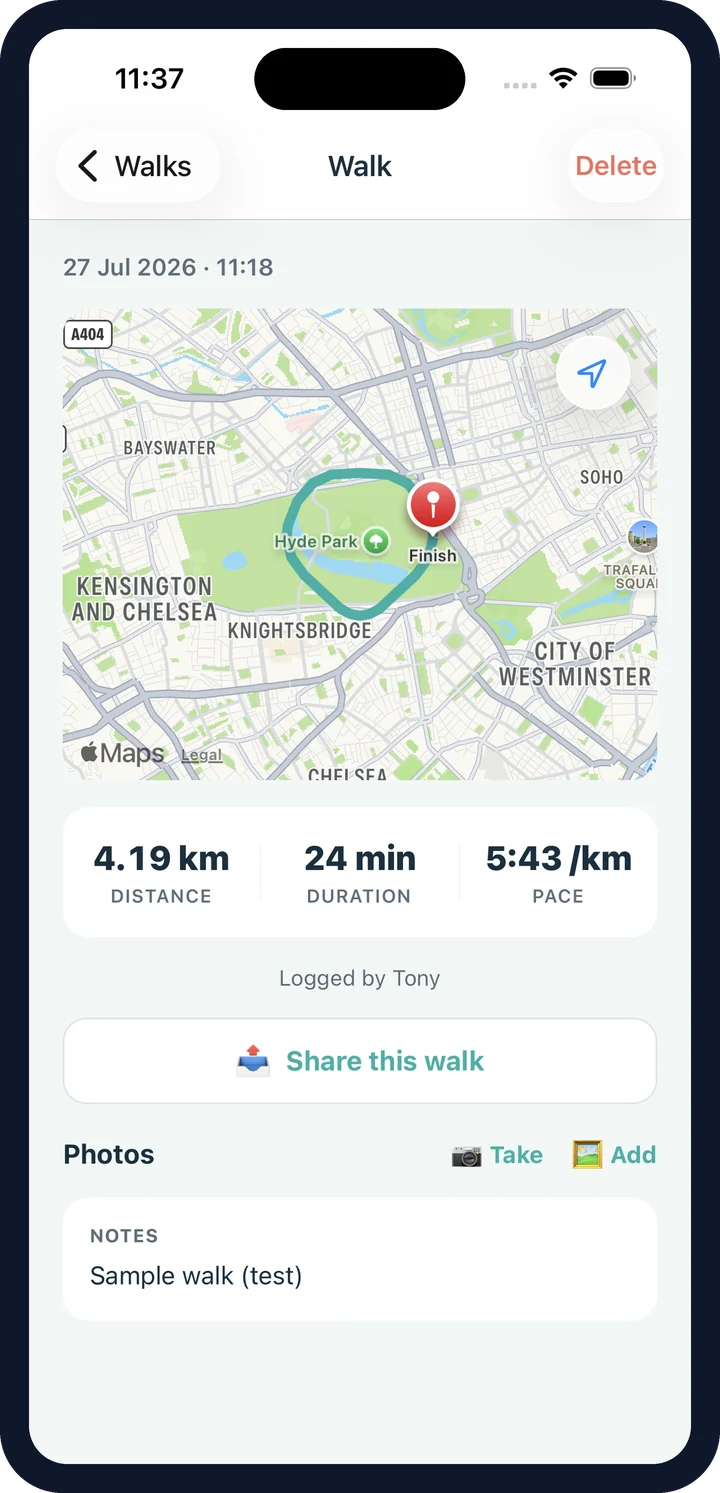
Three ways to share a dog walk.
All of them free, on every plan.
With your household
Pick who should see it. They get a "shared a walk" nudge and it lands in their Shared with me — the walk has already synced to them.
By email
Send anyone outside the household a CorePaw-branded summary with the route map, times and distance. Sent server-side, so it arrives properly.
To social, or any app
A branded square image — route map, distance, duration, pace, logo — made on your phone and passed to the share sheet for Instagram, WhatsApp or Messages.
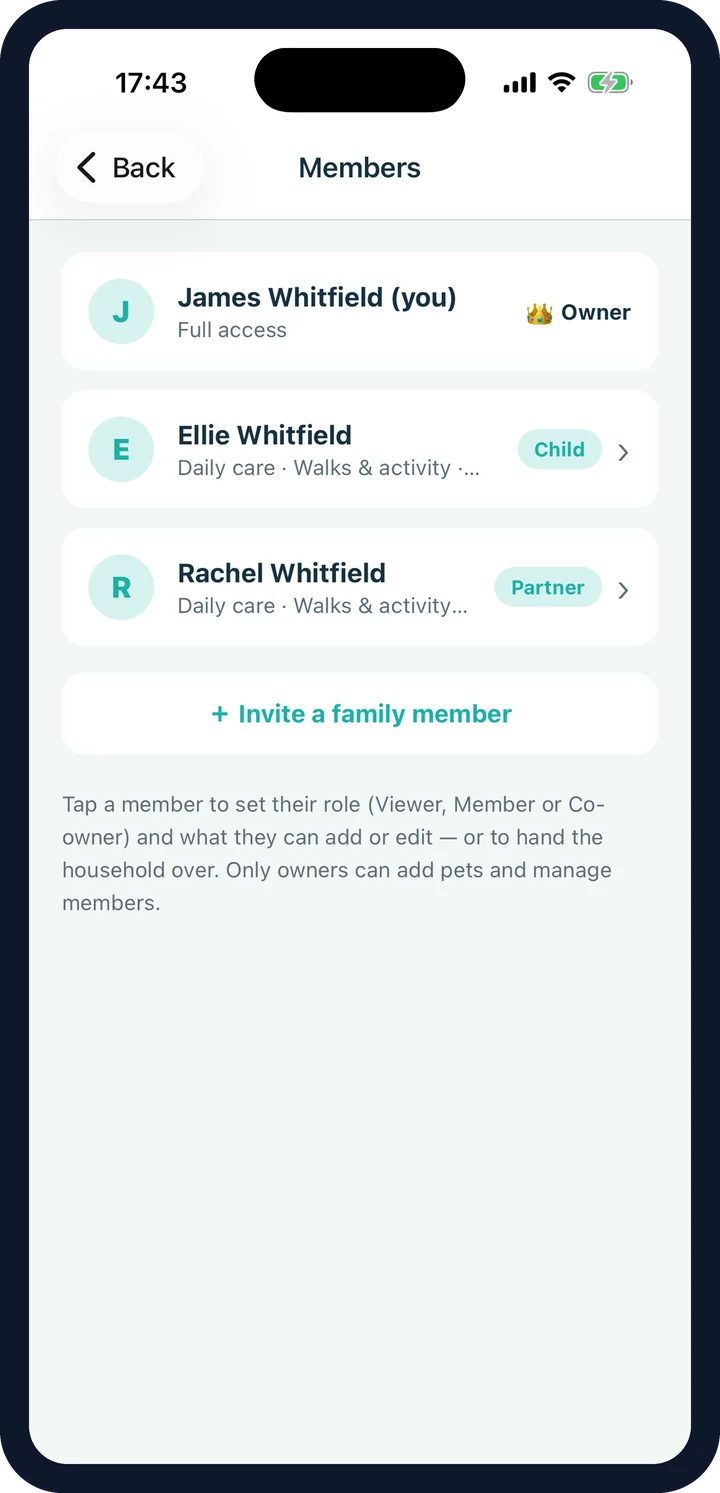
Let a dog walker log the walk, and nothing else.
Invite a dog walker as a Member with walks ticked and nothing else. They can record the walk you're paying for; they can't edit your health records or open your insurance policy. Give them the label "Dog walker" so the log reads properly.
- Per-area permissions, chosen when you send the invite
- A "Helper" preset for exactly this case
- Every walk records who logged it
- Access is editable, or removable, any time
- Enforced in the database, not just hidden in the app
Walk history, totals and route maps.
Every walk is kept per pet with its own detail screen and route map — and the total distance you covered together becomes part of their story, right through to the memorial keepsake if that day comes.
Dog walk tracking FAQ
Does tracking keep running if I lock my phone?
Yes. Walks use a background location task with a foreground service, so tracking continues with the screen off or the app in the background — your phone can stay in your pocket.
Can I walk more than one dog at once?
Yes. Pick who's coming and CorePaw records one shared walk against each dog, so every pet's history is correct without you walking them separately.
What if I forget to press start?
Add the walk afterwards with the distance and duration. It goes into the history alongside the tracked ones — it just won't have a route map.
What do the route maps use?
Real interactive maps — Apple Maps on iPhone and Google Maps on Android — with your route drawn as a line and markers at the start and finish. They appear on the live screen and on every saved walk.
How do I share a walk?
Three ways. With your household — pick who, and it lands in their "Shared with me" with a nudge. By email to anyone outside the household — a CorePaw-branded summary with the route map, times and distance. Or to social media and any other app — a branded square image with the route, distance, duration and pace, generated on your phone and passed to the normal share sheet.
Is walk sharing a paid feature?
No. Sharing a walk is free for everyone, on every plan.
Can I take photos on a walk?
Yes. Photos taken from the walk screen attach to that walk and also appear in the pet's gallery, tagged "on a walk".
Start walking with CorePaw.
CorePaw is out now on the App Store and Google Play, and free for your first pet — no card, no trial clock.