What they eat, and what they can't.
A short list of the foods your pet actually has, with the right portion against each — so anyone covering a feed gets it right without a phone call.
- Brand, form — dry, wet, raw, homemade or treat
- Optional kcal per 100g
- A default portion in g, ml, cups, scoops or meals
- ⭐ favourites and 🚫 avoids
- Log a feed against a saved food in one tap
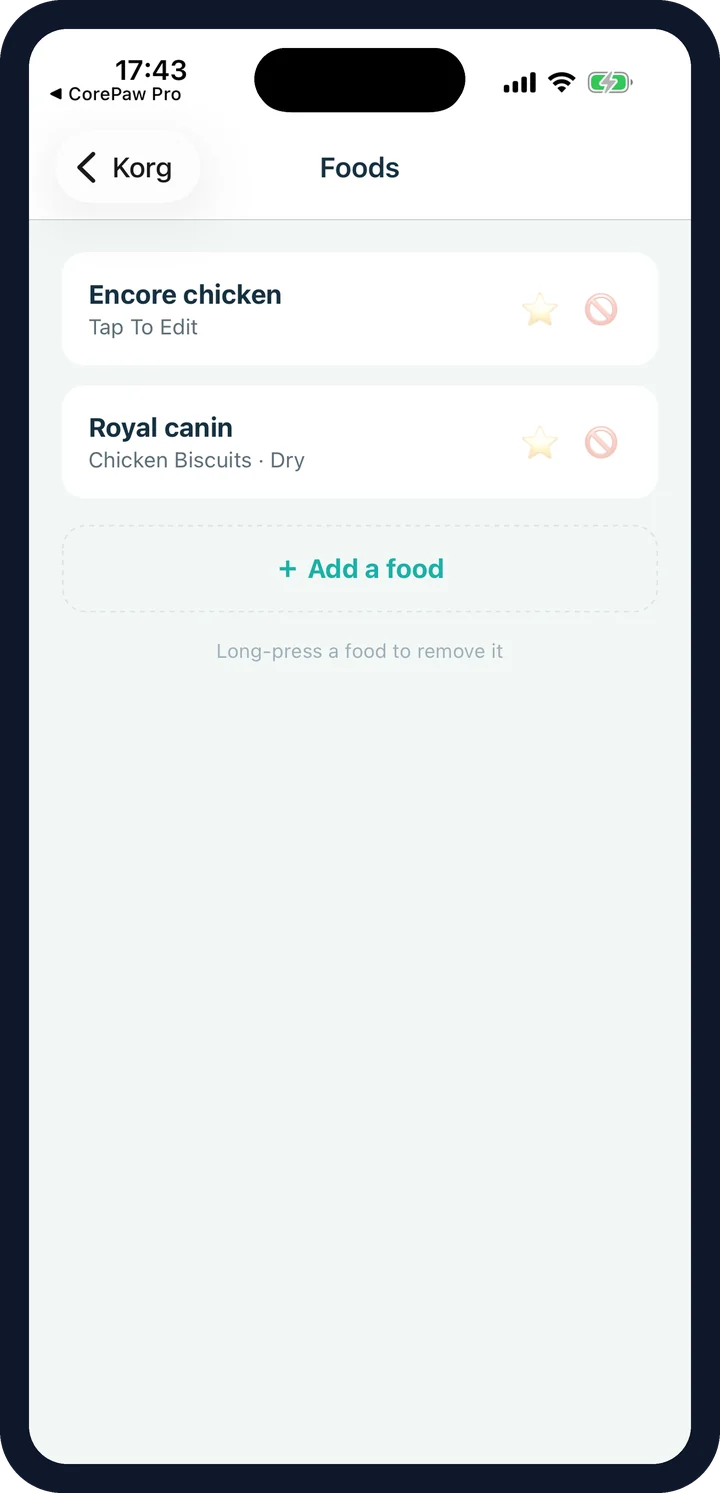
The food library: brands, portions and kcal.
You know the portion by heart. Your mum, watching him for the weekend, does not — and "a bowl of the dry stuff" is how a dog on a prescription diet ends up on the wrong food.
The weekend sitter
Opens the app, sees the brand, the amount and the times. No guessing, no 9pm text message.
The thing to keep away
A 🚫 avoid sits right there in the list, so nobody hands over the treat that sets him off.
The fussy phase
⭐ favourites are what actually gets eaten when they are off their food and you need something to work.
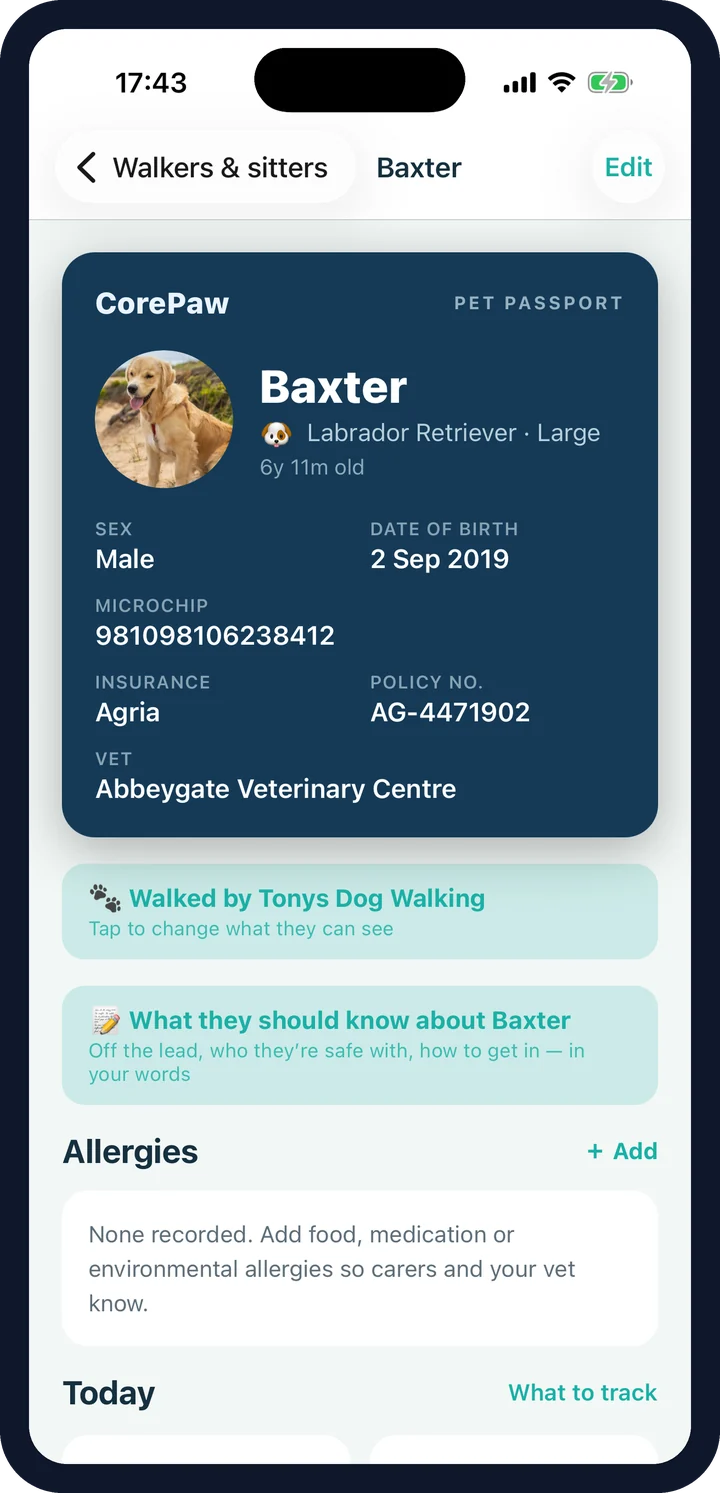
An avoid is a preference. An allergy is a warning.
A 🚫 flag on a saved food is useful, but it lives in the food list. A real allergy needs to be impossible to miss: it sits directly under the passport with its reaction and a mild/severe rating, severe ones in red, and it is printed prominently on the vet health summary.
CorePaw doesn't design your pet's diet.
There is no calorie target, no feeding calculator and no verdict on your pet's weight. CorePaw records the portion you were given and does the arithmetic if you want it. What and how much to feed is a question for your vet — and CorePaw's job is to make sure everyone actually follows the answer.
Food & feeding FAQ
What can I record about a food?
The brand, the form (dry, wet, raw, homemade or treat), an optional kcal per 100g, and a default portion in grams, millilitres, cups, scoops or meals. Each pet has its own library.
What are favourites and avoids?
A saved food can be flagged as a ⭐ favourite or a 🚫 avoid. Favourites tell a sitter what will actually get eaten on a bad day; avoids tell them what to keep away from — which matters most when someone else is doing the feeding.
Is an avoid the same as an allergy?
No, and it is worth keeping them separate. An avoid is a preference or a mild intolerance attached to a specific saved food. A genuine allergy belongs in the allergies section, where it carries a reaction and a mild/severe rating, sits under the passport and is printed on the vet PDF.
Does CorePaw work out how much to feed?
No. It records the portion you set — the one from your vet or the bag — and shows the kcal maths if you enter kcal/100g. It does not calculate a diet or tell you your pet is overweight; that is a conversation for your vet.
How do I log a feed?
From the daily care tiles. A feed can reference a saved food and its default portion, so logging dinner is one tap rather than a form.
Does the household see the food library?
Yes. It syncs to everyone in the household on a paid plan, so the person feeding your dog on Thursday sees the same brands, portions and warnings you do.
Everyone feeds them the same way.
CorePaw is out now on the App Store and Google Play, and free for your first pet — no card, no trial clock.