Your pet's photos, not lost in yours.
Six thousand pictures on your phone and you still cannot find the one from the beach. A per-pet album fixes that — and gathers up the photos already scattered through the app.
- A per-pet album from the camera or your library
- A grid, newest first, with a full-screen viewer
- Walk photos flow in, tagged "on a walk"
- Symptom-diary and document images appear too
- Tap one to jump back to where it lives
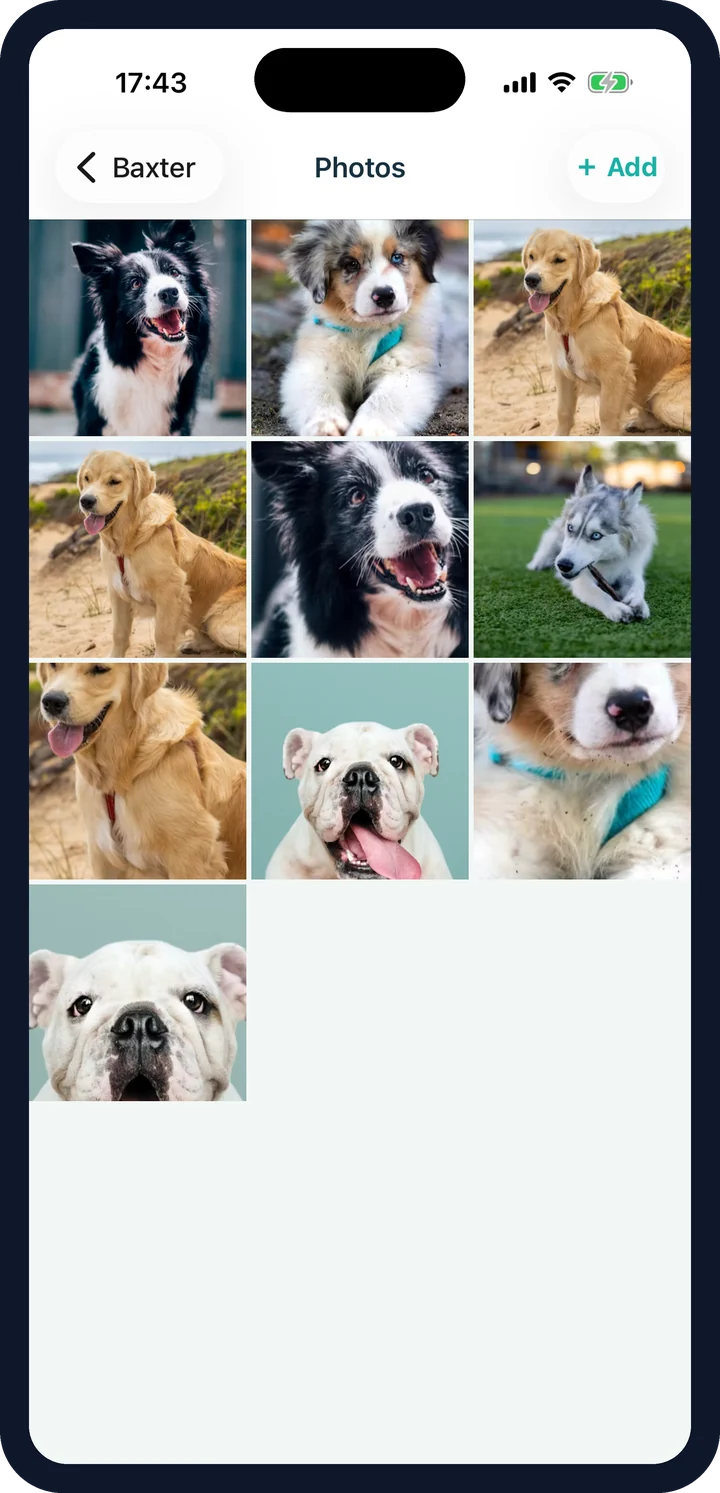
What the per-pet photo album pulls together.
Most of a pet's pictures inside CorePaw are taken for a reason — a route, a lump, a certificate. The gallery brings them together without pulling them out of context.
The album
Photos you add because you want them. Deletable from the gallery, kept in order.
On a walk
Snapped from the walk screen. Tagged, and linked back to the route they came from.
From the diary
The symptom timeline's photos, still owned by the entry they belong to.
From documents
Certificate and paperwork images, surfaced here and managed in the vault.
In loving memory
Bramble · 2009 – 2024
15
years shared
3,410
km walked
612
walks together
Export memory book (PDF)
Always free. Reminders are silenced. Nothing is deleted.
Illustrative preview — real screenshots coming at launch.
Why the album matters: memorial mode and the memory book.
A photo gallery in a pet-care app looks like a nice extra, right up until it isn't. When a pet dies, memorial mode turns their profile into a keepsake built around exactly these photos — with the years you shared and the distance you walked — and the memory book exports it as a printable PDF.
Always free, even if a paid plan lapses.
Where photos live: on device or in the cloud
On the free tier, photos stay on your device — so they are yours and private, but a co-parent won't see them and a lost phone loses them. Premium syncs them to cloud storage: backed up, and visible to the household in a shared gallery. The gallery also sits behind its own permission, so you decide who in the household sees it at all.
Photo gallery FAQ
What goes in the gallery?
Photos you add yourself from the camera or your library, shown as a grid newest-first with a full-screen viewer. It also surfaces the images already elsewhere in the app: photos taken on a walk, symptom-diary photos, document images and the profile photo.
How do I tell them apart?
Photos pulled in from elsewhere are tagged — a walk photo reads "on a walk" — and tapping one deep-links back to where it lives, so you land on that walk or that symptom rather than a dead end.
Can I delete photos from the gallery?
Album photos and walk photos, yes. Images that belong to something else — a symptom-diary entry, a document — are managed where they live, so deleting the record is a deliberate act rather than a swipe in a photo grid.
How do I add photos from a walk?
From the walk screen while you are out. They attach to that walk and flow into the gallery tagged accordingly, so the route and the photos stay together.
Are my photos in the cloud?
On the free tier, no — they stay on your device. On Premium they sync to cloud storage, so they are backed up and the rest of the household can see them.
Can I keep the gallery private from some people?
Yes. The photo gallery has its own permission, and the section can be hidden per pet like any other.
What happens to the photos if a pet dies?
Nothing is deleted. Memorial mode turns the profile into a keepsake built around a timeline of their photos, and the memory book exports them as a printable PDF — free, always.
Every picture, in one place.
CorePaw is out now on the App Store and Google Play, and free for your first pet — no card, no trial clock.