What to Take to a First Vet Appointment
Registering with a new practice, or taking on a new animal? The history you arrive with decides how useful the first fifteen minutes are.
By Tony Dalton · Updated
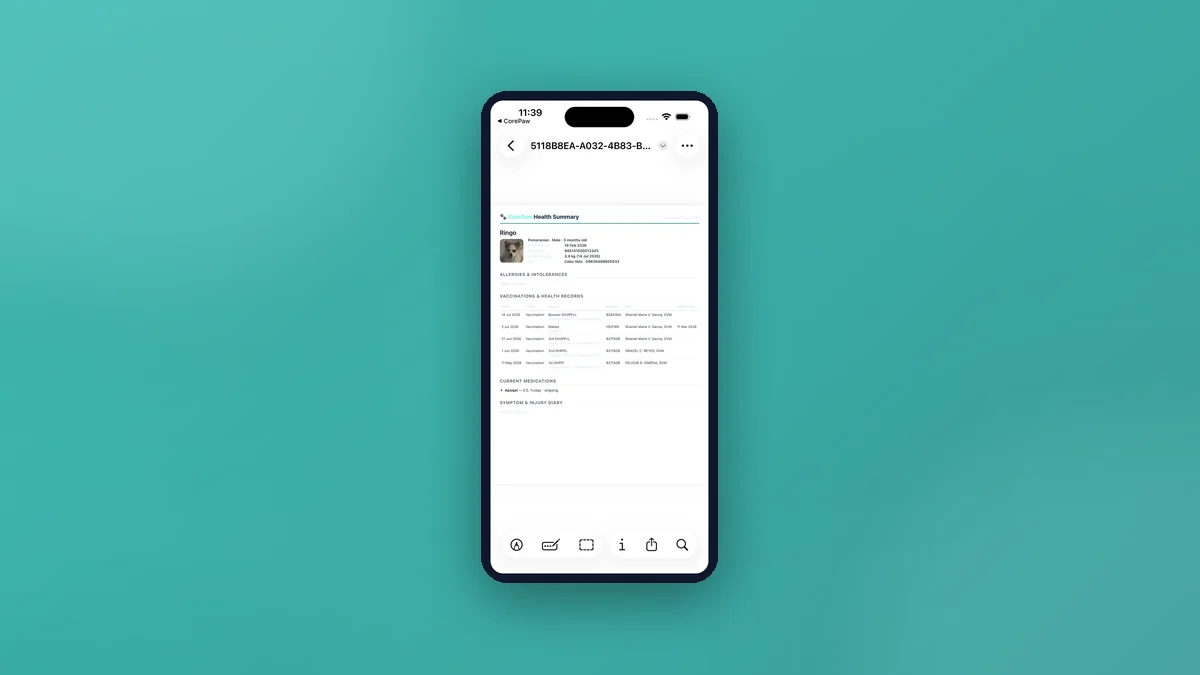
Take the vaccination history with dates and products, the microchip number, any current medications with doses, known allergies, recent weights, and a written note of what you are actually worried about. A first appointment is short, and most of it gets spent reconstructing facts you already have somewhere.
The list
- Vaccination history — dates, product names, batch numbers if you have them. A card, a printout or a summary; all better than memory.
- Microchip number and which database it is on.
- Current medications — name, dose, how often, and when the last one was given.
- Allergies and intolerances, with the reaction and how severe.
- Recent weights, ideally as a trend rather than one number.
- Previous practices, so records can be requested.
- Insurance details if you have cover.
- Your questions, written down. You will forget at least one.
If the animal is new to you
Rescues and rehomes often arrive with partial paperwork or none. Bring whatever you were given, even if it looks unhelpful, and say plainly what you do not know — "chipped, but I do not know the database" is a useful sentence. It is also worth asking the rescue or previous owner directly; they frequently hold more than they passed on.
Describing a problem usefully
The hardest question in a consultation is "how long has this been going on?", and the honest answer is usually a guess. Two things improve it enormously: writing down when you first noticed, and photographing anything visible on the day you notice it.
CorePaw's symptom diary is built for exactly this — a title, where on the body, a status of active, monitoring or resolved, when it started, and a dated photo timeline with an optional measured size in millimetres. A lump photographed weekly for a month is a far better exhibit than a description.
Arriving with it in one piece
CorePaw's vet health summary is a one-tap printable PDF containing identity and microchip details, latest weight and body condition score, allergies, the health-record history, current medications and the symptom diary with photos embedded. It opens the system share sheet so you can email it ahead, print it, or save it.
It is built on the device and works offline, which matters in a practice car park with no signal. It is free for everyone — not a Premium feature.
Allergies deserve their own mention
Allergies are the piece of information with the worst ratio of importance to visibility. In CorePaw they sit directly under the passport, each with a reaction and a mild or severe rating, severe ones flagged in red, and they appear prominently in the vet summary. That placement is deliberate: a sitter, a relative or a locum vet should not have to go looking.
Afterwards
Record what was decided while it is fresh — the diagnosis, the medication and its schedule, the next due date. Medication courses in CorePaw carry name, dose, frequency with editable dose times, a start date and either an ongoing or fixed end date, with reminders that fire with the app closed.
General information about preparing for an appointment, not veterinary advice.
Related articles
Keep your pet's whole record in CorePaw.
Passport, microchip, vaccinations, medications, walks and weight — working offline and shared with your household. Free for your first pet, on iPhone and Android.