How to Check Your Pet's Chip Is Registered
A chip registered to an old address is the same as no chip at all. A short, practical check you can do this week, and how to make it a habit.
By Tony Dalton · Updated
Find your pet's fifteen-digit microchip number, identify which database holds it, log in and confirm your phone number and address are current. That is the whole job, it takes about ten minutes, and most owners have not done it since the day the chip went in.
Step one: find the number
The number is on the microchip certificate, and usually also on the vaccination card, the adoption or purchase paperwork, and in your vet's records. If you cannot find any of it, any vet practice can scan the animal and read the number out — they will generally do this without an appointment.
Step two: find the database
The certificate normally names the database. If you have lost it, a chip lookup service will tell you which database a given number belongs to. It will not show your personal details, which is the point — it exists so that a vet or a warden who finds an animal knows who to ring.
Step three: log in and actually look
This is the step people skip, because they assume it is fine. Check specifically:
- The phone number — mobile numbers change with providers and jobs
- The address — the most common failure after a house move
- The email — an old work address is no use at 11pm
- The alternative contact, if the database supports one
- That the record is in your name if the pet came from a breeder or rescue — transfers do not always complete
Step four: write down what you found
The reason this check does not become a habit is that there is nowhere obvious to record having done it. Next year you will have no idea whether you checked or not, so you will assume you did.
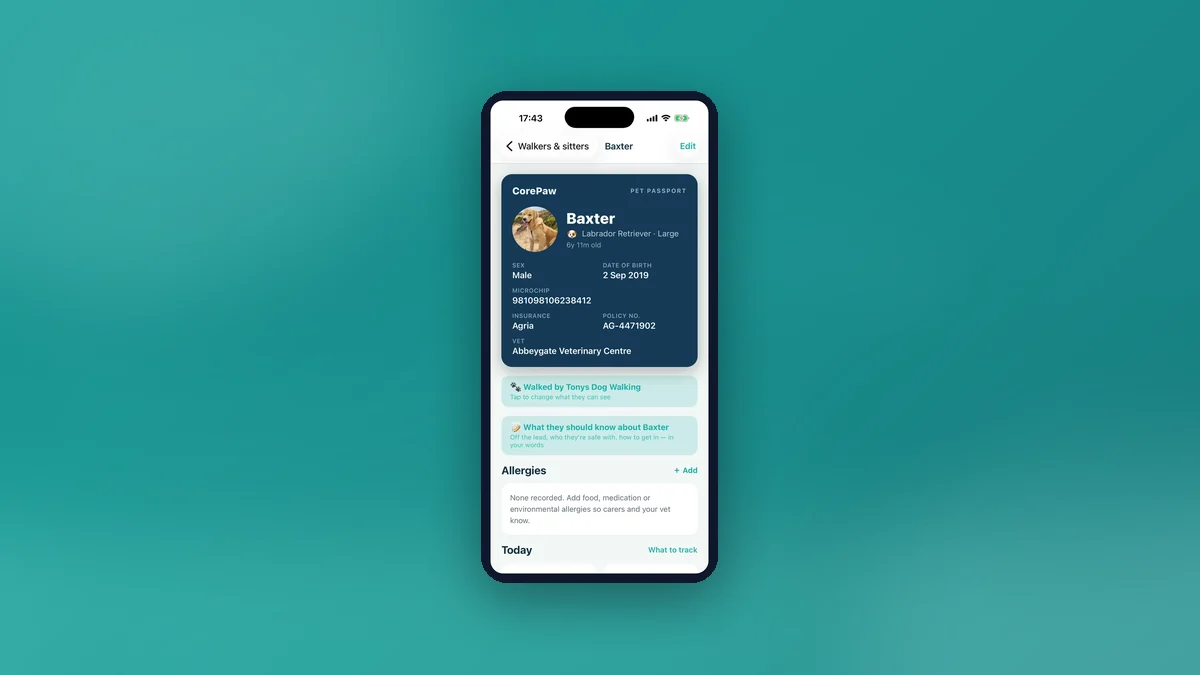
CorePaw handles this deliberately. The microchip record holds the number, database, registration status, implant date, manufacturer and implanting clinic, plus a photo of the certificate. A verify registration action stamps today's date and anchors a yearly reminder, and the pet screen flags when that check is due or overdue. It is a small feature that exists for a single reason: an annual prompt is the only thing that reliably catches a stale phone number.
The chip-check log
Separately, CorePaw records each time a vet scans the chip — scanned OK, not detected, or details updated — with the location and any notes. Chips can migrate under the skin or, occasionally, fail. A history showing it read cleanly at the last three appointments is genuinely reassuring, and a scan that comes back "not detected" is something you want to know at a routine visit rather than at a rehoming centre.
If your pet goes missing
Having the number written down somewhere you can reach on a phone, in the dark, in the rain, without going home, is worth a great deal. That is a large part of why the number sits on the passport card rather than buried in a settings screen, and why the record works offline.
See also: the UK microchipping rules and what to update when you move house.
General information about record-keeping, not legal advice.
Related articles
Keep your pet's whole record in CorePaw.
Passport, microchip, vaccinations, medications, walks and weight — working offline and shared with your household. Free for your first pet, on iPhone and Android.